
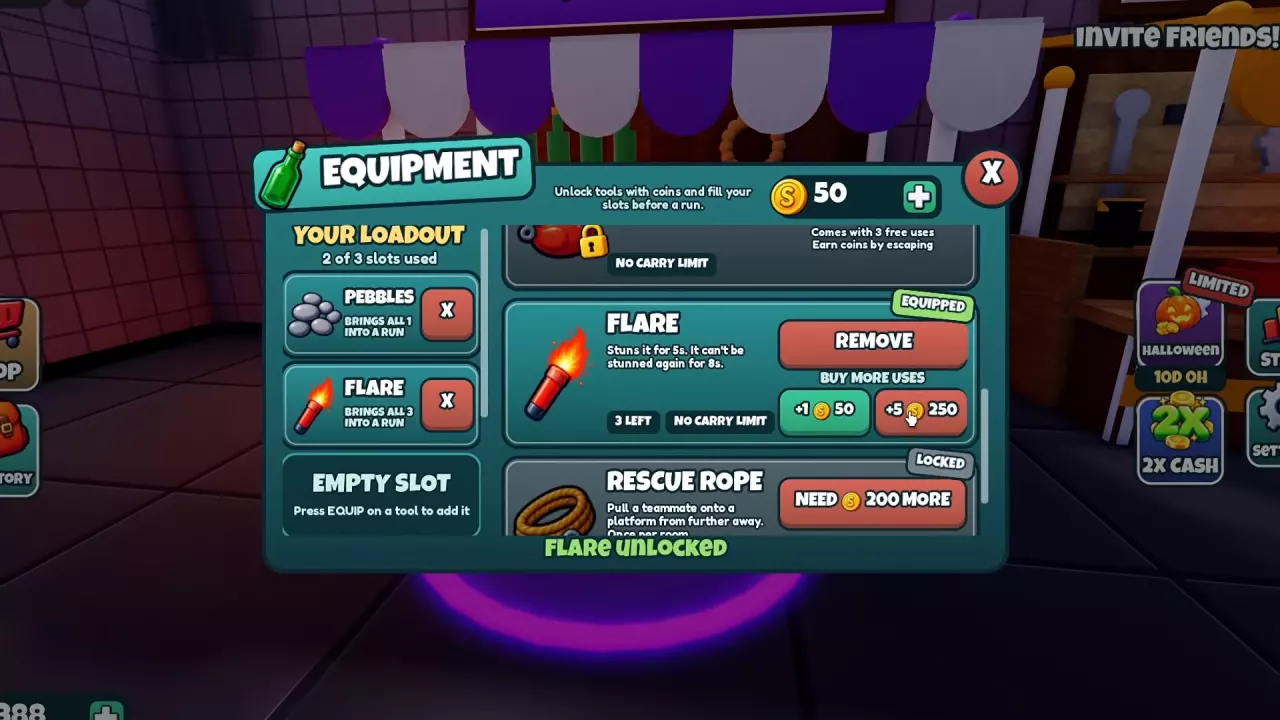
Unlock Flare at EQUIPMENT for 450 Coins with 3 uses included. Optional refills cost 50 Coins for +1 use or 250 Coins for +5. Equip Flare and throw it at the monster: a hit stuns it for 5 seconds. The target cannot be stunned again within 8 seconds. Flare Radius requires Flare unlocked; its level-1 preview increases radius from 10 to 11 studs while keeping the 5-second stun.
Unlock Flare at EQUIPMENT
- Enter the purple circle in front of the lobby's EQUIPMENT stall.
- Scroll to Flare and select UNLOCK 450 to spend 450 Coins.
- Check your loadout. The unlock includes 3 uses, so you can bring Flare into a run without buying a refill.
- Close the menu with X when your loadout is ready.
Use the slot and quantity displayed in your current loadout to find Flare during the run. For removing tools or changing what you bring, see Equipment loadout controls.
Buy More Flare Uses
Open Flare's entry at EQUIPMENT, then choose +1 or +5 under BUY MORE USES. These purchases add uses to your unlocked tool.
Both options cost 50 Coins per use; the five-use option offers no per-use discount. Choose +1 for a small top-up or +5 when you want more throws available. Flare uses have no carry limit.
-
Flare
- Extra use cost
- 50 coins (BUY MORE USES: +1 use)
- Five extra uses cost
- 250 coins (BUY MORE USES: +5 uses)
Throw, Hit and Move During the Stun
- Pick your next platform or escape direction before throwing so you can use the opening immediately.
- Equip Flare. On PC, press the number key matching its current hotbar slot. On touch controls, tap the item in the hotbar.
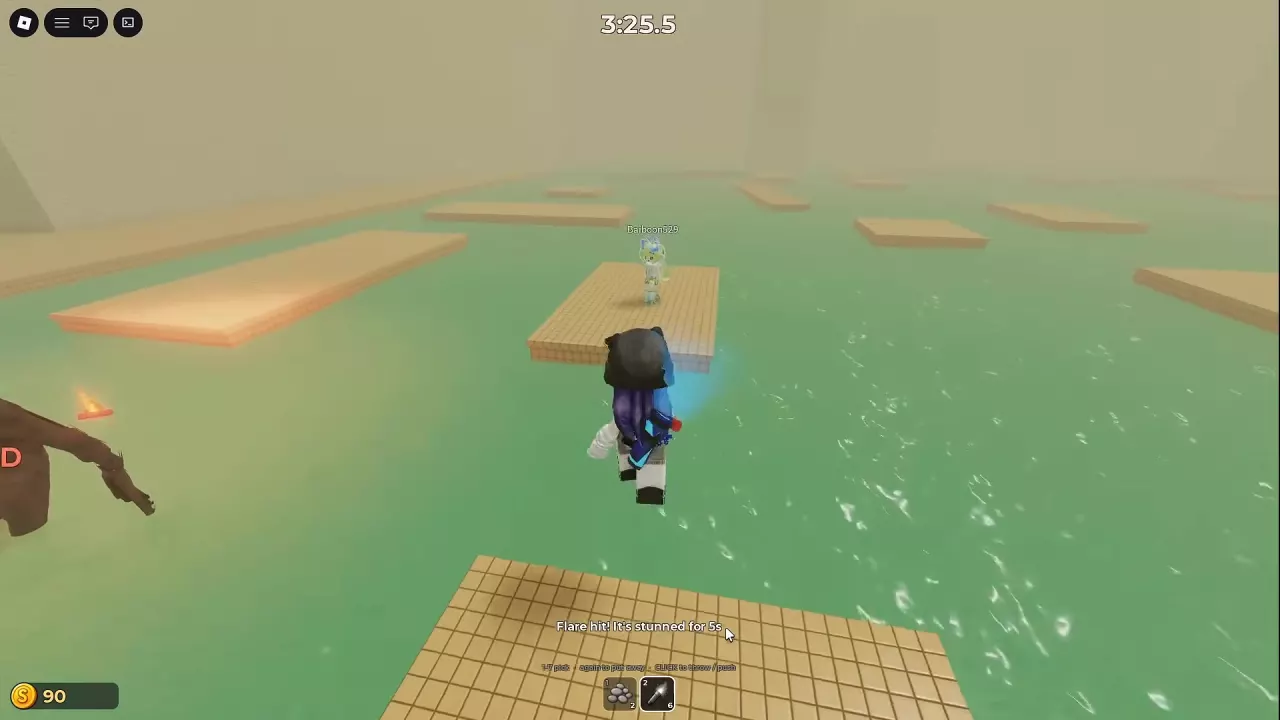
- Aim at the monster and throw. Click on PC, or tap THROW on touch controls. The stun triggers when the thrown Flare hits the target.
- Look for STUNNED and the feedback “Flare hit! It's stunned for 5s”, then use the 5-second stun to cross platforms or gain distance.
The target cannot be stunned again within 8 seconds, so an immediate follow-up throw cannot provide another stun. Use the opening to move instead of relying on consecutive stuns to hold the monster in place.
On PC, press Flare's number key again to put it away. For positioning around the creature between throws, see the monster encounter guide.
Increase Flare Radius
Unlock Flare first, then enter the yellow circle at the lobby's UPGRADES stall and select Flare Radius. Regular upgrades are permanent and must be purchased in level order, up to level 3/3.
The level-1 preview adds 1 stud of radius while leaving stun duration unchanged. Consider this upgrade when you regularly use Flare and want a wider effect area; it does not give you more time to cross after a hit.
See the regular upgrade guide for the full upgrade comparison and the Max game pass directory for the separate permanent maximum-level options.
-
Flare Radius
- Level 0 radius
- 10 studs (Flare Radius level 0/3.)
- Level 1 radius preview
- 11 studs (Upgrade preview from level 0/3 to level 1/3.)
- Stun duration
- 5 seconds (Unchanged between level 0 and the level-1 preview.)