
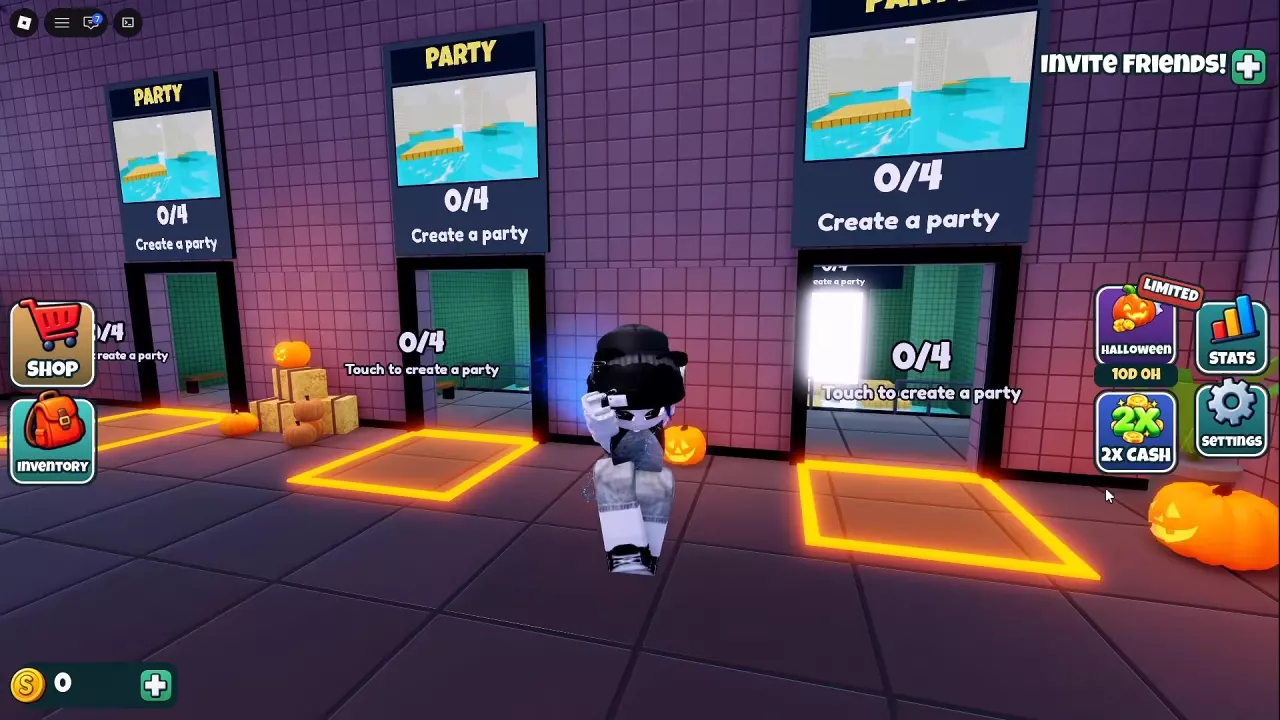
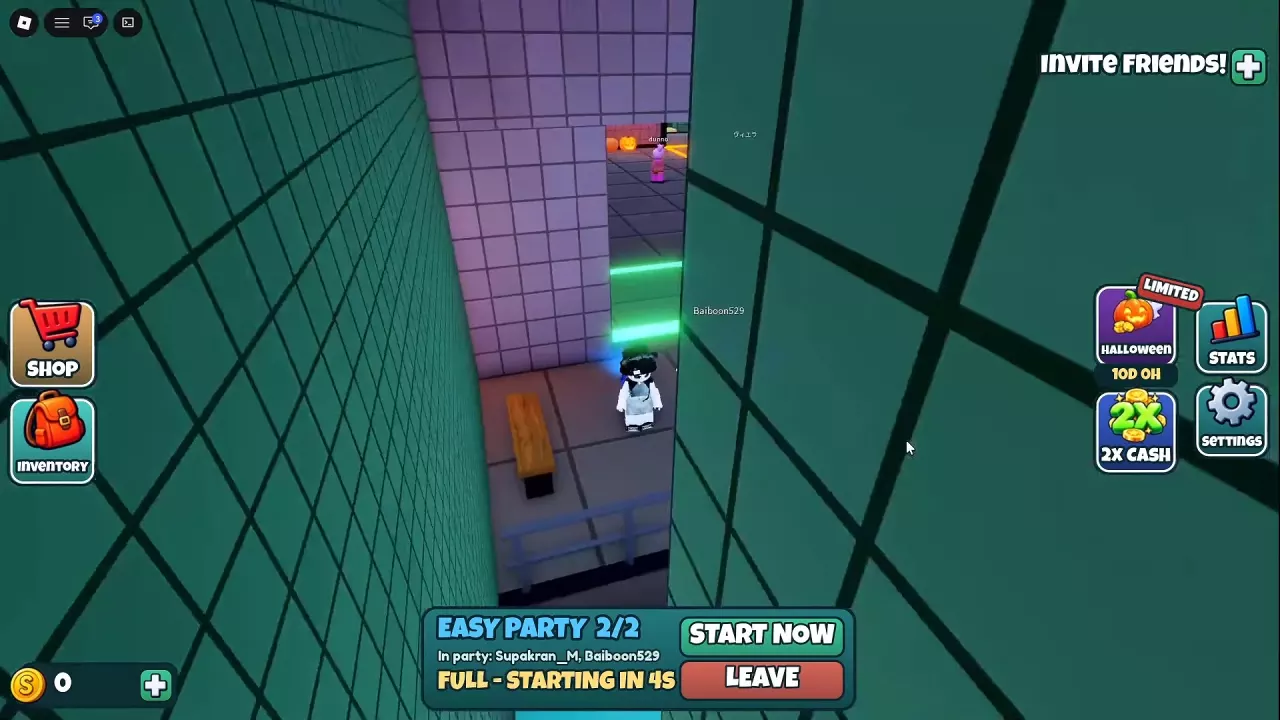
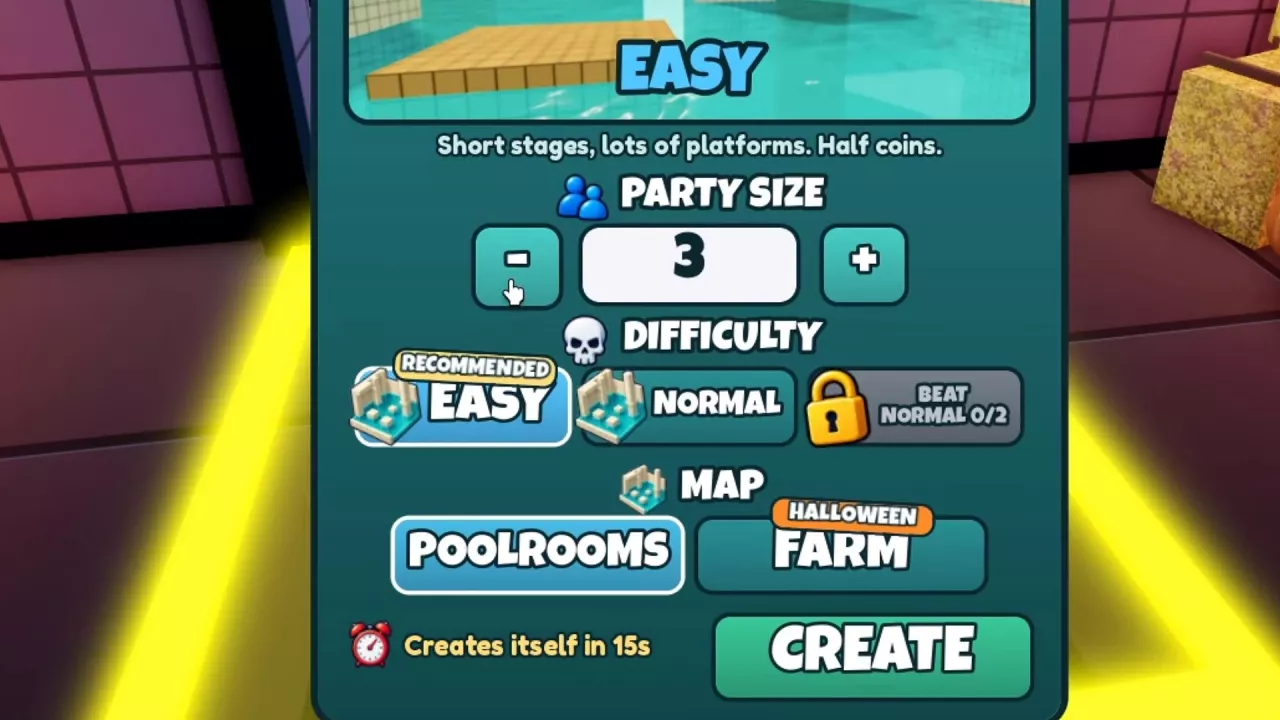
Touch the lobby entrance labeled Touch to create a party, set Party Size from 1 to 4, choose your map and difficulty, and press CREATE. Full solo and two-player parties display a four-second start countdown; the party panel also offers START NOW and LEAVE. Easy has shorter levels, more platforms, and halved coin rewards. The locked difficulty beside Normal requires two Normal completions; Farm's THIS GAME IS NOT PUBLISHED error refers to an unpublished destination.
Create a Solo or Multiplayer Party
- Walk into the lobby entrance labeled Touch to create a party.
- Use the minus and plus buttons beside Party Size. Set it to 1 for solo play or 2–4 for multiplayer.
- Choose a map and difficulty in Create Party. See map and difficulty choices below for the differences.
- Press CREATE to create your party. The menu also has an automatic creation countdown.
For help preparing your loadout, see Equipment and item controls.
Start or Leave Your Party
A solo party is full at 1/1, and a two-player party is full at 2/2. In both cases, the party panel displays FULL – STARTING IN 4S.
Wait for the countdown to begin teleporting, or select START NOW on the party panel. Select LEAVE to leave your party.
Choose Your Map and Difficulty
Map and difficulty are separate selections in Create Party.
- Poolrooms: The water-and-tile setting with platforms above the water.
- Farm: The map option carrying the HALLOWEEN label.
Easy or Normal?
Easy is marked RECOMMENDED. Its description lists shorter levels, more platforms, and halved coin rewards. Choose it when you want to practice landing jumps with more platforms available. The tradeoff is the reduced coin reward; shorter levels alone do not establish which difficulty earns coins faster.
For help crossing the platforms, use the platform route guide. To understand the separate reward lines after a run, see cash rewards.
Normal is selectable in the difficulty menu. Choose it when your goal is to earn Normal completions toward the next difficulty unlock.
Unlock the difficulty beside Normal
The locked difficulty slot immediately to the right of Normal requires two Normal completions. Look for the BEAT NORMAL 0/2 message on that slot.
Understand the Farm Teleport Message
If Farm returns THIS GAME IS NOT PUBLISHED while teleporting, the message identifies an unpublished destination.
This message has occurred with a full two-player Farm Easy party and a solo Farm Normal party. The two-player Easy failure included error code 773.
The error does not state that you must beat Normal to enter Farm. The two-Normal-completion requirement belongs to the locked difficulty slot beside Normal. To play Poolrooms instead, select it when creating your next party.