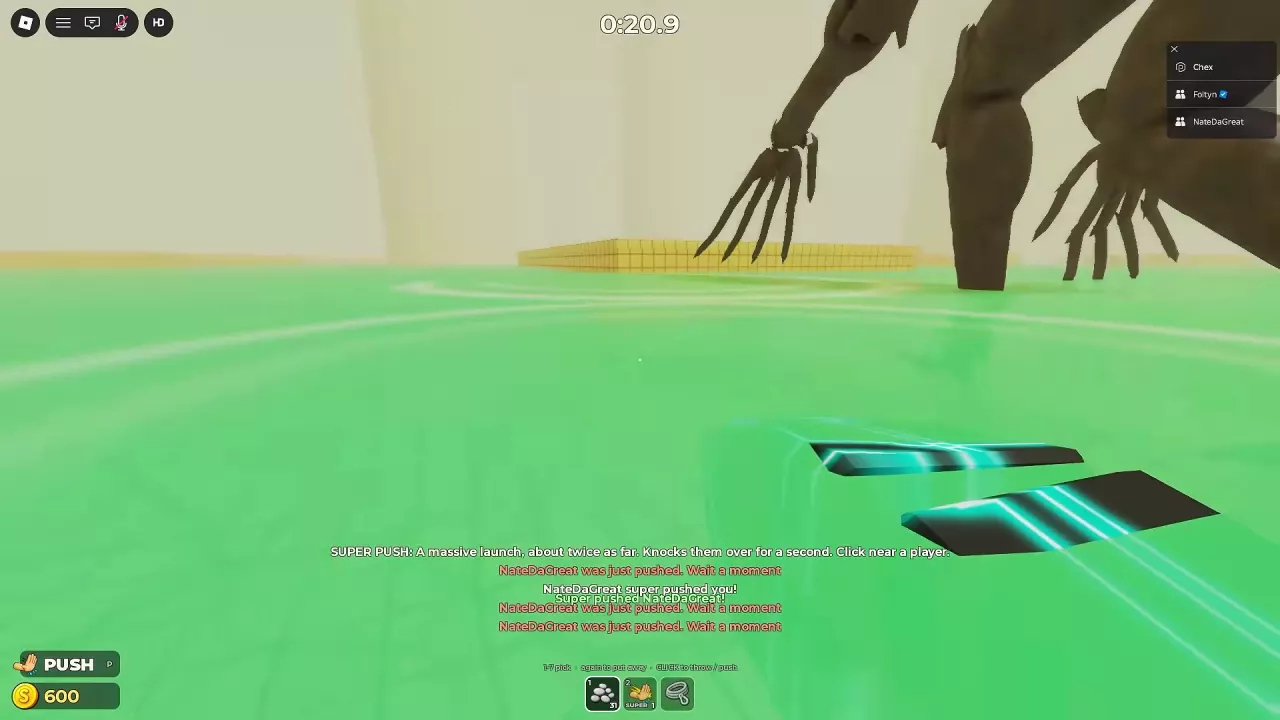
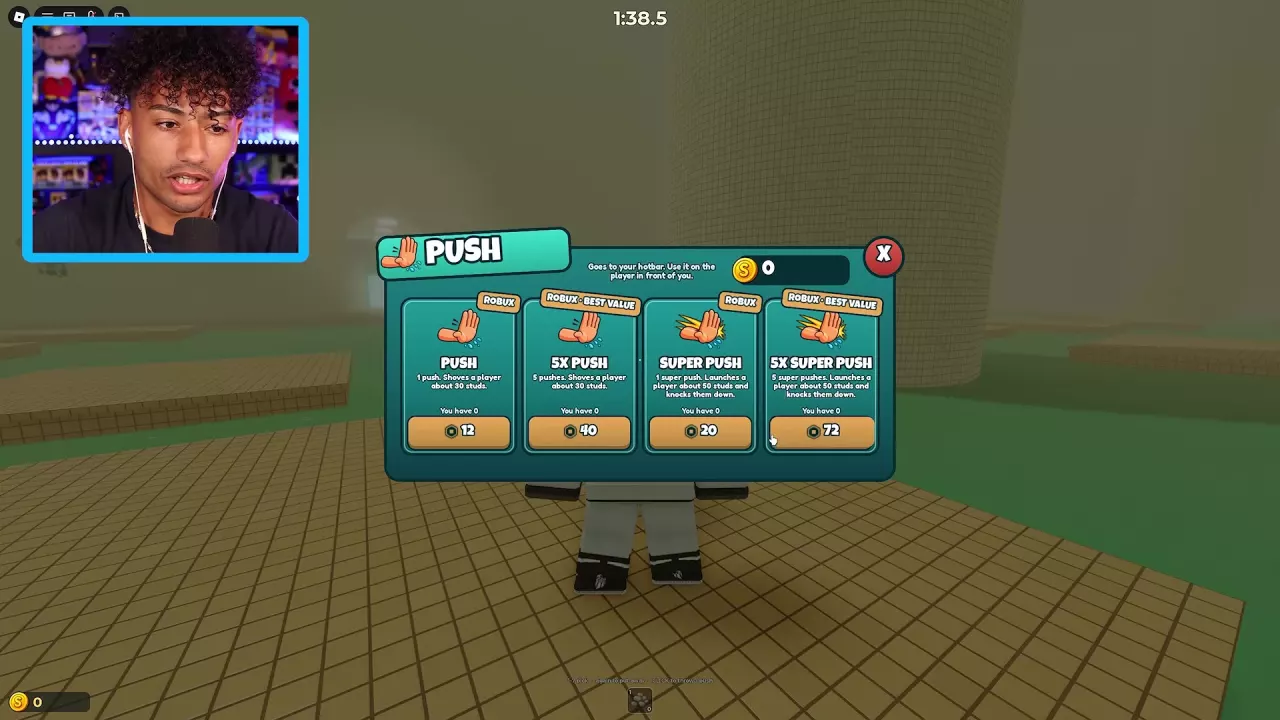
On PC, press F when the nearby-player F / Push prompt appears. For a purchased PUSH or SUPER PUSH, select its hotbar slot, approach and face another player, then click. The shop describes Push as about 30 studs and Super Push as about 50 studs, with Super Push briefly knocking the target down. Packs contain one or five uses. Move closer when prompted, or wait before pushing a recently pushed target again.
Use the Push Prompt or a Hotbar Push
Nearby-player prompt
On PC, approach another player and press F when F / Push appears.
Purchased hotbar pushes
- Open the PUSH shop using the lower-left entry marked P.
- Choose PUSH or SUPER PUSH and the pack size you want. Read the Robux price in the purchase confirmation before buying.
- After the purchased uses appear in your hotbar, press the number key for that slot to select it.
- Approach and face another player, then click to push.
Press the same slot key again to put the item away. For other item controls, see the tools and controls guide.
Compare Push and Super Push Effects
| Effect | Push | Super Push |
|---|---|---|
| Approximate distance in the shop description | 30 studs | 50 studs |
| Target reaction | Pushed away while remaining standing | Launched and briefly knocked down |
| Brief knockdown duration in the tool tooltip | — | About 1 second |
The Super Push tooltip also describes its launch as approximately twice the distance of a normal push.
- Choose Push when you want to move a player away while keeping them standing.
- Choose Super Push when you want a stronger launch and a brief knockdown.
Each successful Super Push consumes one use; the SUPER hotbar count tracks your remaining uses. Near a platform edge, the launch can send a player into the water, so leave space from the edge if you want them to remain on the platform. The brief knockdown from the push is separate from the downed state in the water that requires rescue.
Single-Use and Five-Use Pack Prices
PUSH and SUPER PUSH purchases add a finite number of uses to your hotbar. A single-use pack adds one; a 5X pack adds five.
| Pack | Uses | PUSH shop offer |
|---|---|---|
| PUSH | 1 | 12 Robux |
| 5X PUSH | 5 | 40 Robux |
| SUPER PUSH | 1 | 20 Robux |
| 5X SUPER PUSH | 5 | 72 Robux |
Super Push also has these purchase-confirmation offers:
| Pack | Confirmation offer |
|---|---|
| 5X SUPER PUSH | 72 Robux in one offer; 89 Robux in another |
| Single-use SUPER PUSH with a Plus offer | 32 Robux, with 39 Robux crossed out and a stated saving of 7 Robux |
Use the amount in your current confirmation window when deciding whether to buy.
- For one push, choose the single-use pack to spend less upfront at the listed shop prices.
- For five pushes of the same type, the listed five-use shop pack costs less than buying five singles.
- Choose the effect first: five ordinary pushes still have the ordinary Push effect; five Super Push uses retain the stronger launch and brief knockdown.
For Pebbles, Bottles, Flare or Wind-up Toy refills, see tool supply packs and the Mixed Supply Box.
Respond to Move Closer and Wait a Moment
| Prompt | What to do |
|---|---|
| Move closer | Walk closer to the target, face them and click with the hotbar push selected. |
| Wait a moment | The target was just pushed. Wait before trying to push that player again. |
Moving closer addresses distance; a recently pushed target still requires a pause before another push.
If you end up downed in the water, follow the rescue and self-rescue steps to get back onto a platform.